KinoConsole苹果版使用教程,KinoConsole下载,KinoConsole安卓版使用教程(度娘直译看不懂请看英文原版),KinoConsole下载1,下面小编来给大家介绍一下,一起来了解一下吧!
kinoconsole可以让你在任何地方播放你最喜欢的电脑游戏,随时随地。新的游戏,如上古卷轴:天际,暗黑三,西姆斯,文明V和幽浮现在在你的iPhone和iPad的游戏。从你的PC视频游戏kinoconsole作品,手机是用来显示游戏视频流和发送控制游戏。
电脑安装
发射前的iOS应用程序,请确保您已经下载并安装最新的kinoconsole PC服务器应用到您的PC服务器设置的详细说明可以在kinoconsolePC安装指南。
iOS应用程序设置
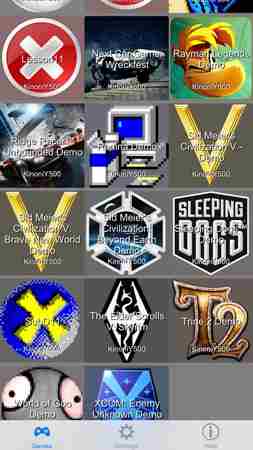
请确保您已连接到同一WiFi网络为您推出iOS应用程序列表后可用的游戏图标和名称将自动显示在屏幕上。你现在可以浏览游戏,选择一个通过点击图标。
服务器将自动启动游戏,你可以开始玩。请注意,发动一场比赛可以在PC上进行。

访问菜单
当连接到电脑你可以用手指从屏幕左边缘接入菜单。你会看到菜单如下图所示。
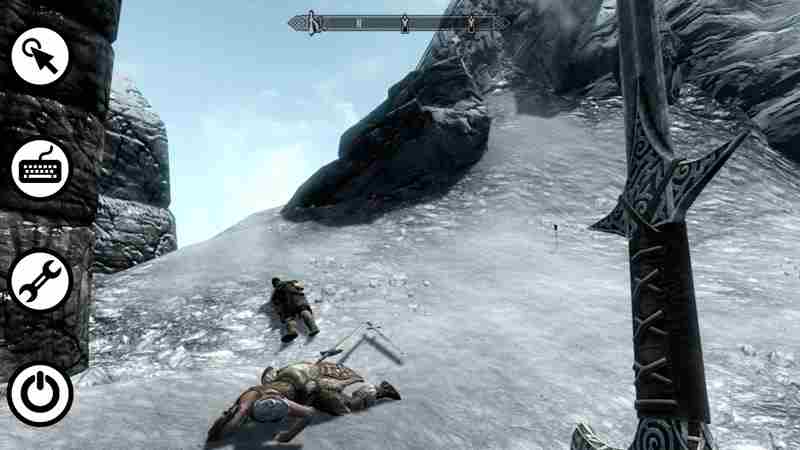
第一个菜单项是鼠标模式。鼠标模式定义了触摸屏事件是如何映射到鼠标事件。第一个模式可以用来拖动项目通过使用一个手指和其他类型的游戏模式。
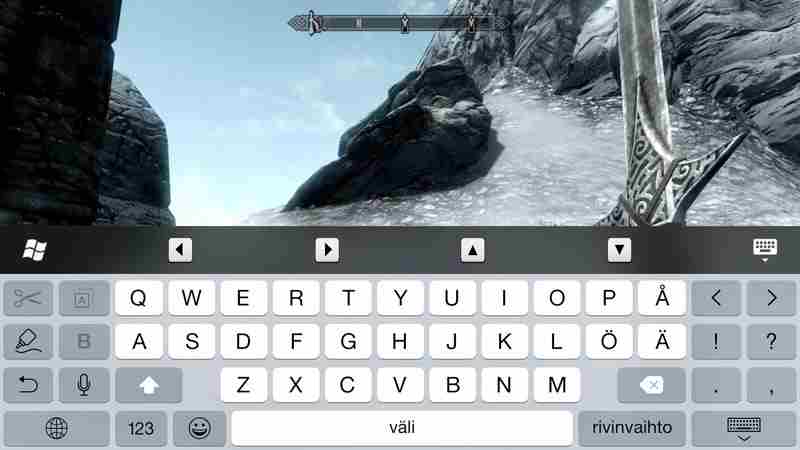
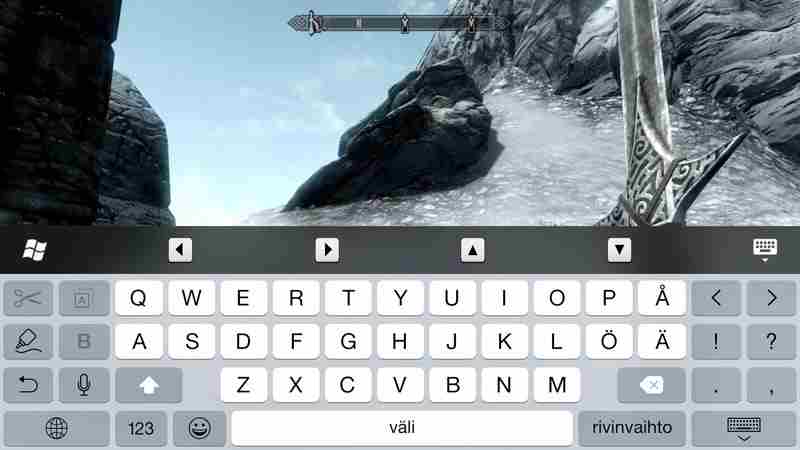
第二菜单项显示在屏幕上的键盘,如下图所示。
第三菜单项允许编辑屏幕控制。在屏幕上添加一个新的控制抽头和保持所需的位置。上下文菜单将显示如下所示。现在你可以选择控制添加。
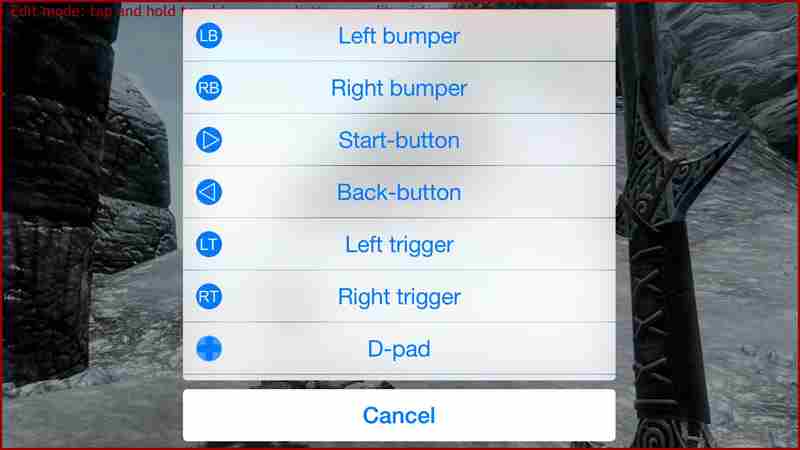
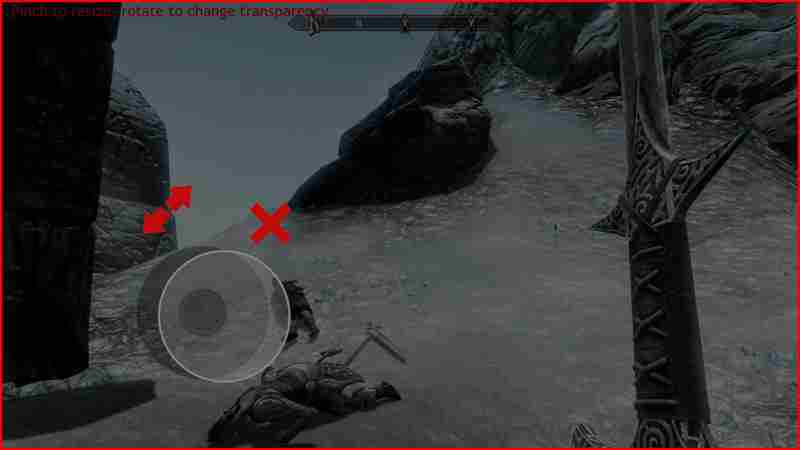
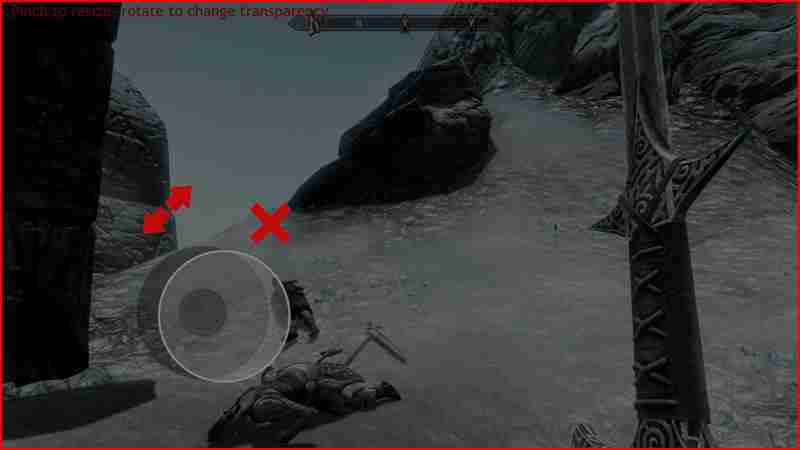
删除或调整现有的控制抽头并保持控制。上下文菜单将显示如下所示。选择箭头图标来调整控件的大小,改变其不透明度。调整是通过捏和透明度两手指旋转姿态调整完成。如果要删除控件选择十字图标。
外部游戏控制器支持
kinoconsole支持使用外部手柄玩游戏。确保您安装的“游戏扩展”与服务器应用程序。如果使用蓝牙控制器时,尽可能避免无线干扰,请使用5GHz的无线网络。为获得最佳性能,你应该将无线控制开始之前kinoconsole APP无线控制器发现网络性能的影响。
故障排除
在这里你可以找到最常见的问题的答案。
视频都是黑色的
捕捉全屏图形并不适用于所有游戏的那一刻。我们在这方面的工作,尽量流在窗口模式下游戏。
视频中有黑条双方
确保游戏窗口长宽比匹配手机长宽比。
防火墙问题
如果你正在使用第三方的防火墙程序,您需要手动允许入站流量的TCP端口5051。
视频质量差
应用程序需要良好的WiFi连接正常工作。试着靠近你的无线路由器。如果可能的话,使用5 GHz无线网络和禁用蓝牙,蓝牙设备会和WiFi信号。
英文原版
KinoConsole allows you to play your favourite PC games anywhere, anytime.Latest games like Elder Scrolls: Skyrim, Diablo III, Sims, Civilization V andX-COM are now playable on your iPhone and iPad. KinoConsole works by streamingvideo games from your PC, phone is used to display game video stream and to sendcontrols to game.
PC Setup
Before launching iOS app please make sure you have downloaded and installedlatest KinoConsole PC server application to your PC. Detailed instructions on PCserver setup can be found on KinoConsole PC Setup Guide.
iOS app setup
Please make sure you are connected to same WiFi network as your PC. Afterlaunching iOS app list of available games with icons and names will be shownautomatically on screen. You can now browse games and choose one by clicking theicon.
Server will now automatically launch the game and you can start playing.Please notice that launching a game can take a while on PC.
Accessing menu
While connected to PC you can access menu by swiping a finger from leftscreen edge. You will see the menu as shown in image below.
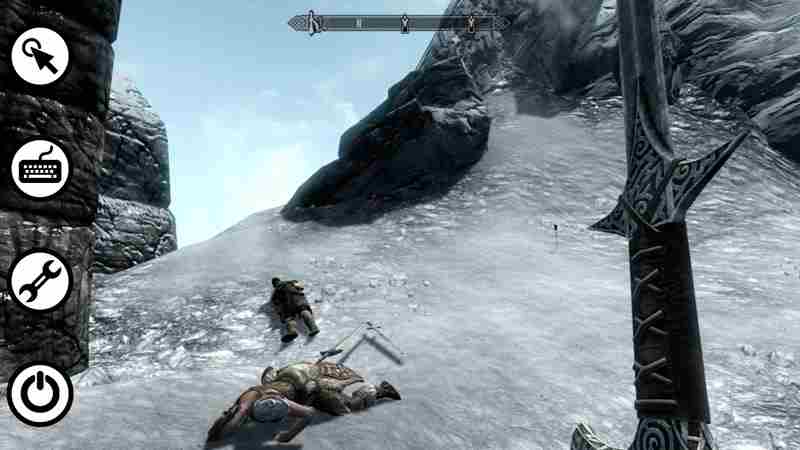
First menu item is mouse mode. Mouse mode defines how touchscreen events aremapped to mouse events on PC. First mode can be used for dragging items by usinga finger and second mode for other types of games.
Second menu item displays onscreen keyboard as shown below as shownbelow.
Third menu item allows editing onscreen controls. To add a new control tapand hold on desired location on screen. A context menu will appear as shownbelow. You can now choose what control to add.
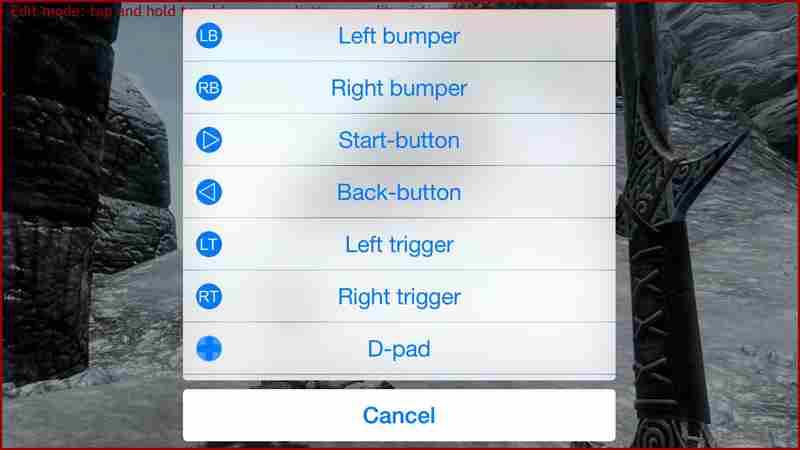
To remove or resize existing control tap and hold on that control. A contextmenu will appear as shown below. Choose arrow icon to resize a control or tochange its opacity. Resize is done by pinching and opacity adjusted by twofinger rotational gesture. If you want to remove a control choose crossicon.
External game controller support
KinoConsole supports playing games using external gamepad. Make sure youinstalled 'Gaming extension' with server application. To avoid wirelessinterference pleae use 5 GHz WiFi network if possible when using Bluetoothcontroller. For best performance you should connect wireless control beforestarting KinoConsole app as wireless controller discovery can affect networkperformance.
Troubleshooting
Here you can find answer to most common issues.
Video is all black
Capturing fullscreen graphics does not work for all games at the moment.While we are working on this, try streaming games in windowed mode.
Video has black bars on both sides
Make sure game window aspect ratio matches phone aspect ratio.
Firewall issues
If you are using third party firewall application you need to manually allowinbound traffic to TCP port 5051.
Poor video quality
Application requires good WiFi connection to work properly. Try moving closerto your wireless router. If possible use 5 GHz wireless network and disableBluetooth, Bluetooth devices do interfere with WiFi signal.

 原神
原神 王者荣耀
王者荣耀 和平精英
和平精英- 1摩托车高峰赛手
-
1

- 2竞速漂移赛车
-
2

- 3火箭轰炸
-
3
- 4汽车维修服务站
-
4
- 5天空坡道汽车竞技
-
5

- 6玄煌剑仙
-
6

- 7登山极限摩托2
-
7

- 8极速追捕3D
-
8